Find a course
Browse the catalogue, then narrow it down by level, rating, language, and price.
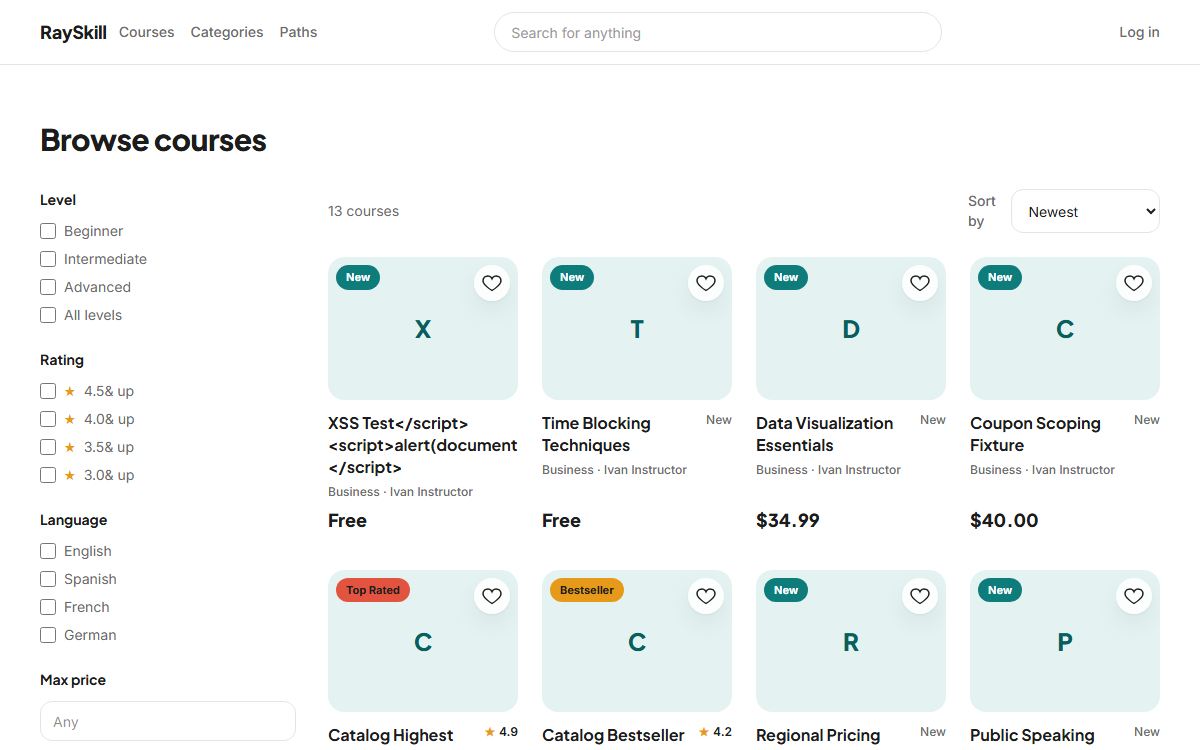
Open Courses in the top navigation
Every published course is listed here, newest first.
Where you end up: You land on the catalogue at /courses.
Narrow the list with the filters on the left
Level and language accept more than one choice at a time; rating is a single "and up" threshold. The web address updates as you filter, so you can bookmark or share a filtered list.
Or search by name from the top bar
Search looks at course titles and descriptions. Use it when you know roughly what you want; use the filters when you are still deciding.
Open a course to read the details
The course page shows the curriculum, what you will learn, the instructor, and reviews from other learners.
For learners — other guides
- Enrol in a course — Preview it first, then enrol — free courses start immediately, paid ones go through checkout.
- Work through a course — Play lectures, keep your place, take notes, and mark lessons complete.
- Quizzes and practice tests — Short quizzes check a lecture; practice tests rehearse a real, timed exam.
- Certificates and achievements — Finish a course to earn a certificate, and pick up badges along the way.
- Manage your account — Update your profile, choose your language and notifications, and export or delete your data.