Create your first course
Start a draft, then fill in the parts learners see before they buy.
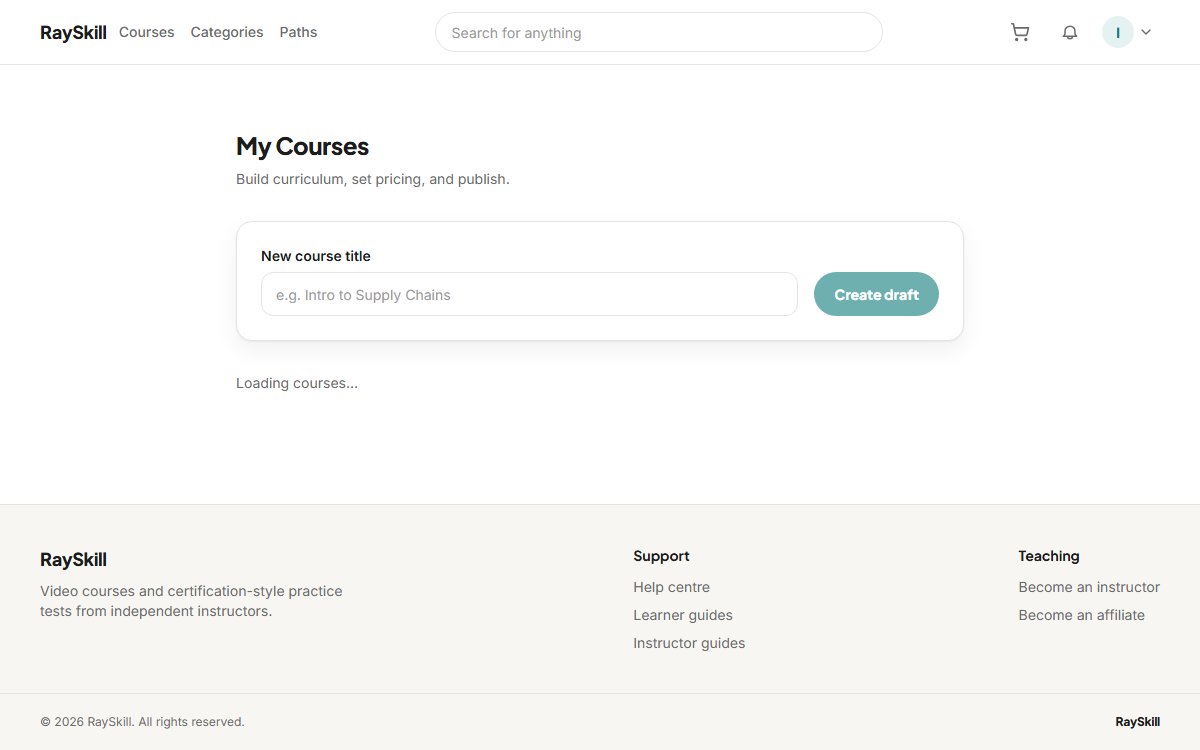
Open My Courses from the account menu
Everything you are building lives here, draft or published.
Where you end up: You land on /instructor/courses.
Type a title and choose Create draft
A draft is private to you. Nothing you do from here is visible to learners until you publish.
Where you end up: You are taken straight into the course editor.
Fill in the Landing page tab
Description, what learners will achieve, requirements, and a thumbnail. This is the page a buyer decides from, so it is worth the time.
Work through the tabs in order
Curriculum, Landing page, Pricing, then Publish. Each is covered by its own guide below.
For instructors — other guides
- Build your curriculum — Add sections and lectures — video, articles, quizzes, assignments, practice tests.
- Set your price — Choose a price and currency, add regional prices, and run coupons.
- Publish your course — Pass the checklist, then wait for a short review before it goes live.
- See how your course is doing — Enrollments, revenue, completion, ratings, and which lectures lose people.
- Answer questions and post updates — Keep up with Q&A, highlight the best answers, and announce changes.
- Understand your earnings and payouts — Where your revenue share comes from, and how money reaches you.